3 finance workflows to automate with AI agents
Finance workflow automation works best on repetitive, rule-based, high-volume tasks. See 3 workflows to hand to AI agents first.

Month-end drags for the same reasons every time: a receipt that never shows up, a charge that might break policy, a code someone has to enter on every transaction. None of it takes judgment. All of it takes time.
Finance workflow automation pays off on exactly this kind of work: repetitive, rule-based, and high volume. Agentic workflows in finance use AI agents that take on a multi-step task, like matching an invoice to its purchase order and flagging what doesn’t line up, instead of applying one fixed rule.
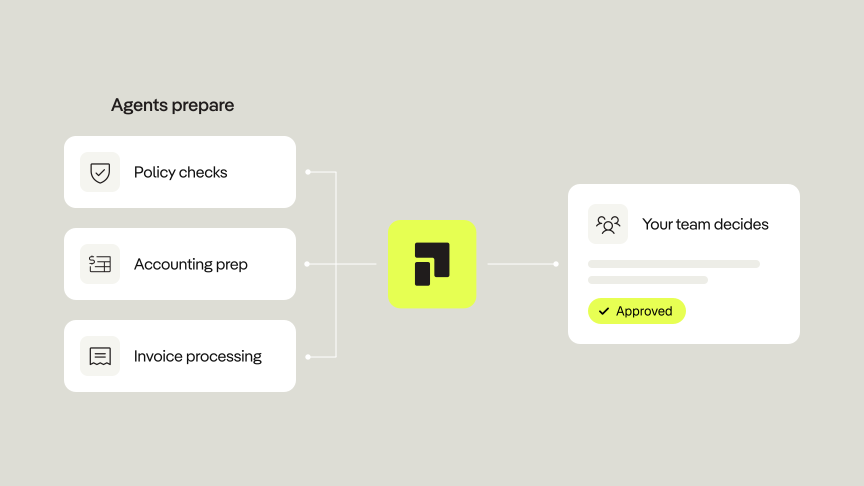
How much a person stays involved depends on how the workflow is built. For instance, Pliant’s Agentic Workflows are built so that agents prepare the work, and your team reviews and decides.
Where the hours go
Deloitte estimates that 45% to 55% of finance effort has traditionally gone to transaction processing. Think of matching invoices to purchase orders, applying incoming payments, preparing journal entries, and reconciling accounts at month-end. Each task is small, but they repeat on every transaction.
Card spend adds its own version. Every transaction raises three small questions: is there a receipt, does it fit policy, and which codes does it get? Each one is quick to answer. Multiplied across a month of transactions, they aren’t.
Which finance tasks are worth automating?
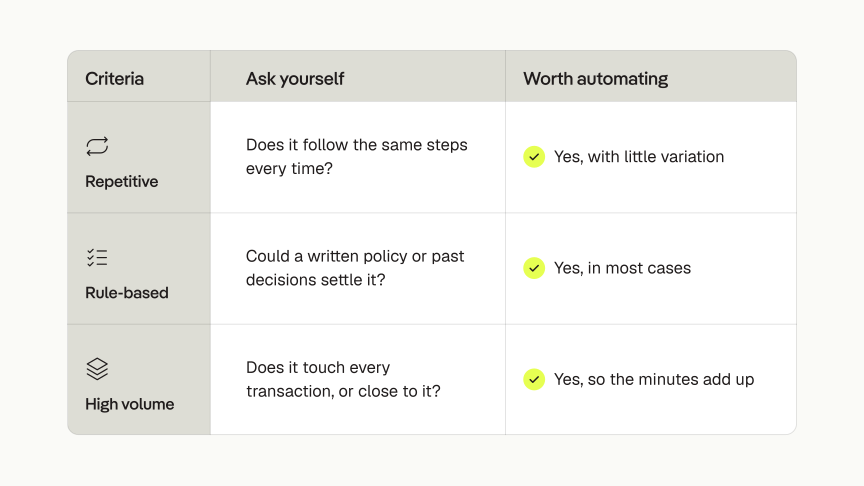
A finance task is worth automating when it’s repetitive, rule-based, and high volume.
Repetitive: Follows the same steps every time
Rule-based: Written policy or past decisions can settle it
High volume: Minutes add up across every transaction.
Wondering if you should automate a task? Ask these three questions first.
1. Workflow 1: Policy checks
Every transaction needs to be checked against policy, and the number of transactions only grows. Checking manually means reading line after line for the same few rules, so the work tends to get sampled or pushed to month-end. Either way, a lot of charges never get a real look.
That makes policy checks a good job to hand over. A policy is already a set of written rules, so checking a charge is the same task every time: find the rule, compare, decide. An agent can do that for every transaction. People are still needed for what’s left, like the unusual purchase or the justified exception.
Pliant’s Spend Policy Agent does this.
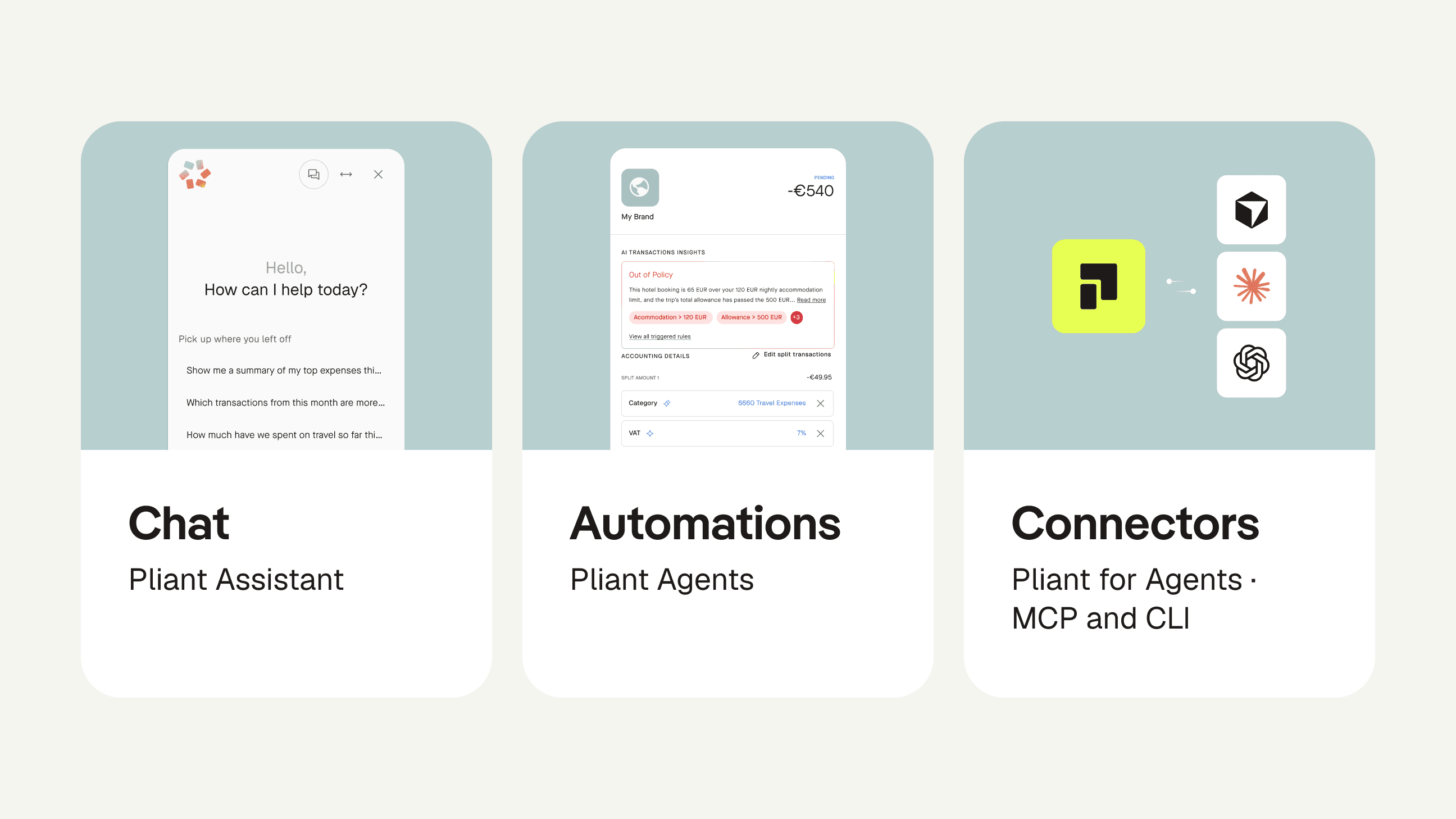
You upload your policy once and edit it whenever the rules change. Each transaction is checked the moment it happens, and each result comes with the exact reason, so you can see why a charge passed or didn’t. What reaches your team is a short list of charges that need a decision.
2. Workflow 2: Accounting prep
Coding a transaction usually means repeating a decision someone already made. The same merchant gets the same GL code month after month, and the same kind of purchase carries the same VAT code. Typing those in on every line is slow, and it’s where inconsistencies creep in. An agent can look at how similar transactions were coded before and fill in the fields for you.
Pliant’s Accounting Agent does this for GL and VAT codes, using your transaction history. Each suggested value shows why it was chosen, right next to the number, so reviewing means checking a reason and not hunting for one. Nothing exports until someone on your team has reviewed it.
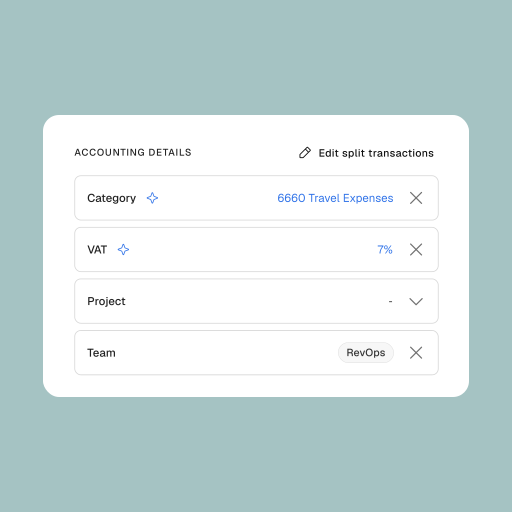
The agent also learns from your corrections. Fix a code once and it picks that up, within your organization only, and you can review or delete what it has learned.
3. Workflow 3: Invoice processing
An invoice isn’t ready to pay when it lands in the inbox. Someone has to open it, read it, check the amount and details, and make sure nothing required is missing. Only then can it go to payment. The steps are the same for every supplier, and there’s always another invoice behind it.
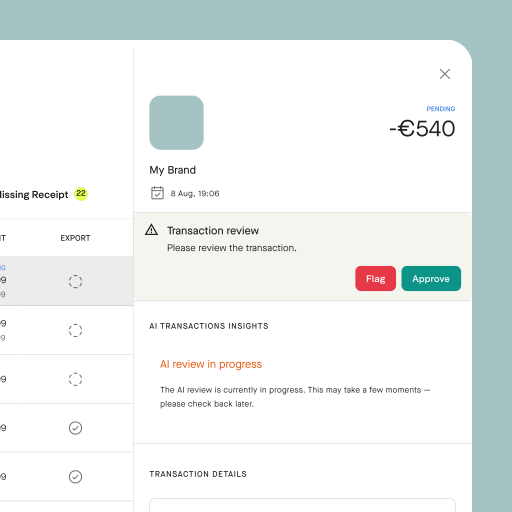
That’s a checklist an agent can work through. Reading an incoming document, comparing it with what a payment needs, and spotting what’s missing or off follow the same pattern every time. Whether to pay stays with a person.
Pliant’s Payables Agent reads incoming supplier invoices as they arrive and checks that each payment is error-free and has the required information. It then prepares the payment, and a person approves it before anything is paid.
Beyond the three: Answering spend questions
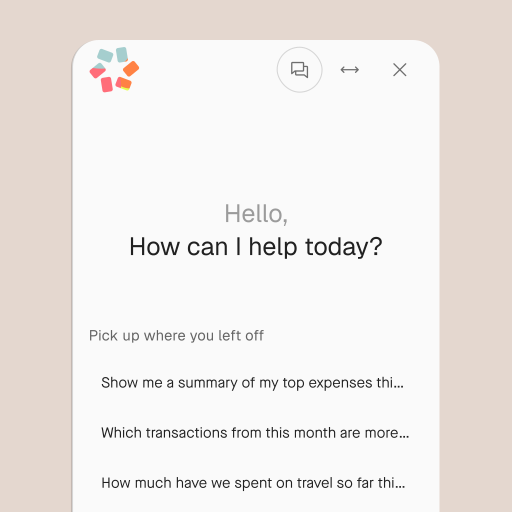
Not every time sink is a workflow. Some are one-off requests: which merchants drive travel spend, who the top spenders are, how a team is tracking this quarter. The answers already sit in your transaction data, but someone still has to export it, filter it, and build the table.
Retrieving and organizing information is already the most common AI use case among finance teams that use AI, at 49%, according to Gartner’s 2025 AI in Finance Survey.
Pliant Assistant handles these inside the Pliant Admin App. Ask about transactions, cards, teams, or merchants in plain language, and it answers with summaries, lists, or tables built from your own data, ready to paste into a report.
FAQs
What’s the difference between RPA, automation, and AI agents in finance?
Automation is any software that does work without manual steps. RPA is one type: it follows fixed scripts and breaks when a layout or field changes. AI agents handle multi-step tasks, like reading an invoice and flagging what’s missing, even when documents vary.
Which finance tasks should I automate first?
Start with tasks that are repetitive, rule-based, and high volume. They follow the same steps every time, a written policy or past decisions can settle them, and they touch most transactions. Policy checks, GL and VAT coding, and invoice checks usually fit. Pick one workflow, run it with a person reviewing every result, and widen the agent’s scope only once the results hold up.
Is it safe to let AI agents handle finance work, and who stays in control?
It’s safe when agents prepare the work and people decide. Agents can still make mistakes, so the controls matter more than the model.
In Pliant’s Agentic Workflows, you set the limits and choose which transactions the agents handle. A person approves every payment before it goes out, and nothing is exported to accounting until your team has reviewed it. Admins can switch an agent off at any time.
Start automating finance workflows
Month-end doesn’t have to run on chasing receipts, retyping codes, and reading the same invoice checklist line by line.
With Pliant’s Agentic Workflows, agents prepare the work and your team makes the call. Every transaction gets checked, every suggested code comes with a reason, and nothing is paid or exported until a person has reviewed it. You set the limits, and you can switch an agent off at any time.
The result: less time on transaction processing, fewer inconsistencies, and a team that spends its hours on exceptions and decisions instead of data entry.
Ready to start? Talk to a Pliant expert about putting Agentic Workflows to work on your month-end.