Why third-party agents travel first class on the Pliant platform
How we think about building AI at Pliant, why we build our own AI features while opening the platform fully to external agents, and how to decide which type of feature to use when.

An employee at a travel agency that runs on Pliant sees a hotel charge that is higher than the booking. Is this a dispute, which booking was it, has this hotel done it before? They can ask Claude, connected to Pliant, and have the answers in a minute. They can ask the Pliant Assistant inside our app. Both work. So which one should they use, and why did we build both? The short answer: each for different use cases. The long answer, what to use when, is this article.
I usually describe Pliant as a B2B payments toolbox. At its core that toolbox is an API-first payments infrastructure, with workflow tools on top in our web and mobile apps. Our customers should be able to decide which tools they need and how to combine them into their ideal payment process or program. We make sure those tools are the best possible, combine freely, and can be configured to each customer’s needs. And the use cases we serve are broad. Our customers range from travel, insurance companies, and AI-native companies with specialized payment needs to software companies that embed our features as well as banks that run white-labeled card and spend programs on our platform. So the AI features we add to our toolbox have to cover a broad range of use cases.
Over the last months we consolidated what we learned from building the first set of AI features and from watching how customers used them, in the Pliant Assistant and with tools like Claude connected to Pliant. We used those insights to reshape our AI roadmap from first principles. The structure that came out of it is simple, but it gave us a clearer picture of what to build and what to prioritize. I think it can apply to many B2B software companies, and thus might be interesting for our customers and partners too.
What kinds of AI features does Pliant offer?
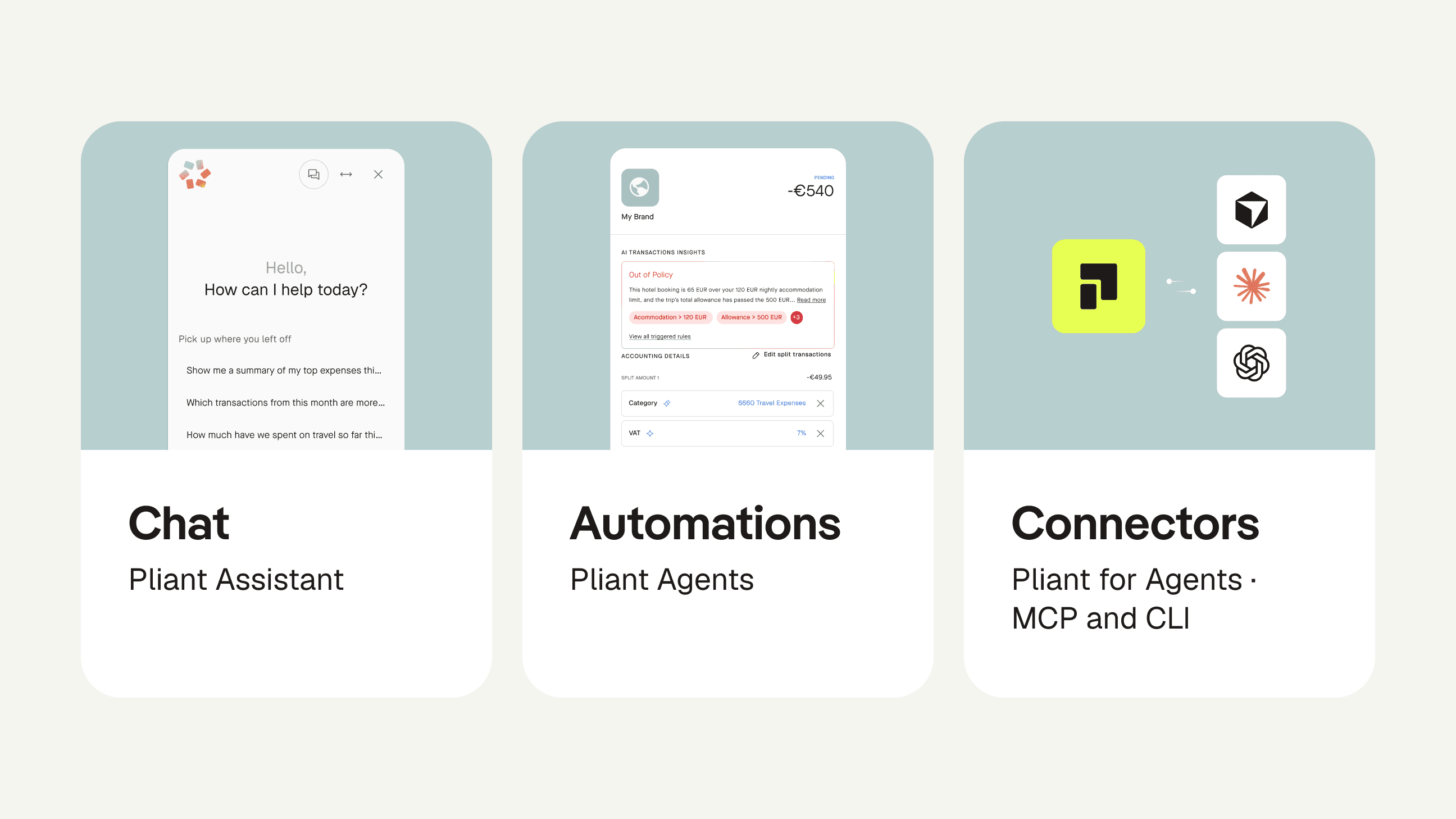
We sort AI-related features into four categories:
Chat
Automations
Connectors
Payments
The first three are general, apply to most B2B software, and are the main topic of this article. The fourth, agentic payments, is about payment instruments that AI agents can use securely and reliably, and as a payments company it matters so much to us that it will get an article of its own later. For now I will leave it at an invitation: if you have a use case that requires giving cards to agents, apply for our agentic payments pilot program.
1. Chat
Chat is for ad hoc tasks and it is the original AI feature for most of us. It is what ChatGPT was named after, but the product form existed long before large language models. Chat is still the main way people interact with AI. The core interface has not changed much, but the tools have become far more capable. Almost everyone has used tools like Claude by now, and almost every SaaS product ships a chat equipped with platform-specific context.
Our own chat feature is called the Pliant Assistant. It is hooked up to a customer’s own data (and only that data), to our help center articles, and to other platform-specific context, so it can answer our customers’ questions on how things work and what is going on in their account. Over the next months users will increasingly be able to take actions through it. Eventually they will steer most actions from this one interface, pulling up the optimized user interfaces for a quick overview whenever they need them.
"The user stays in full control: agents prepare, people confirm every critical action."
2. Automations
Automations run recurring tasks or processes without a human triggering each run. They run on a schedule or triggered by events, in our case, for example, a new transaction coming in or a receipt being uploaded. The AI version is often called "agents," and our own AI automation features are called Pliant Agents. Admittedly, the word has gone fuzzy: inside a Claude chat we are used to several agents being spun up to run research in parallel, and the chat that connects to Pliant via MCP acts as an agent too. It is normal language by now, so I will keep using "agent" for AI automation of any kind, and say "chat" when I mean the chat feature.
Since large language models arrived, these built-in automations get their power from three layers, and those layers are important to decide when to use what type of automation. Built-in AI automations:
Come pre-equipped with the industry expertise of the platform that built them
Learn from the behavior of your company
Take natural-language instructions and can combine those with deterministic rules and triggers
For our own platform, as is common in the industry, we built one Pliant Agent per recurring task or process. For example:
Spend Policy Agent: checks every transaction against the spend policy you uploaded and flags exceptions with the reason
Accounting Agent: extracts the relevant data from the receipt and codes the transaction with the right general-ledger account, cost center, and VAT code
Instead of a rule builder in which you combine data fields into conditions, you tell a Pliant Agent in plain language how the process should run.
3. Connectors
Connectors bring Pliant into the AI tools you already use, and that makes this category the special one. From the provider's point of view it is one more AI-related feature. From our customers’ point of view it lets them replicate the other two, chat and automations, with the AI tooling they already use every day. Our platform is one of many tools they work with, and the connector is what lets them combine it with the rest. That matters when a task runs across many tools, or when you want control over which models you use and how your AI tooling is customized. Modern coding agents can hook custom tooling up to a classic REST API, but the common ways today are an MCP server (Model Context Protocol, the open standard AI tools use to connect to other software) and a command-line interface (CLI), which give agents access to a platform's capabilities with minimum friction.
Ours we summarize as Pliant for Agents: the MCP connector and the CLI next to our API, with the same data and actions as the app, except what regulation keeps inside (more on that below), and the same permission model. Our customers can use it to quickly automate their workflows without touching code and our partners to complement the integrations they built on our API and to wire our capabilities into the AI features of their own products. Onboarding is a typical case: the workflow that creates a new hire in the HR system can now also invite them to Pliant and issue them a correctly configured Pliant card in the same run.
How do you choose the right AI feature for a task?
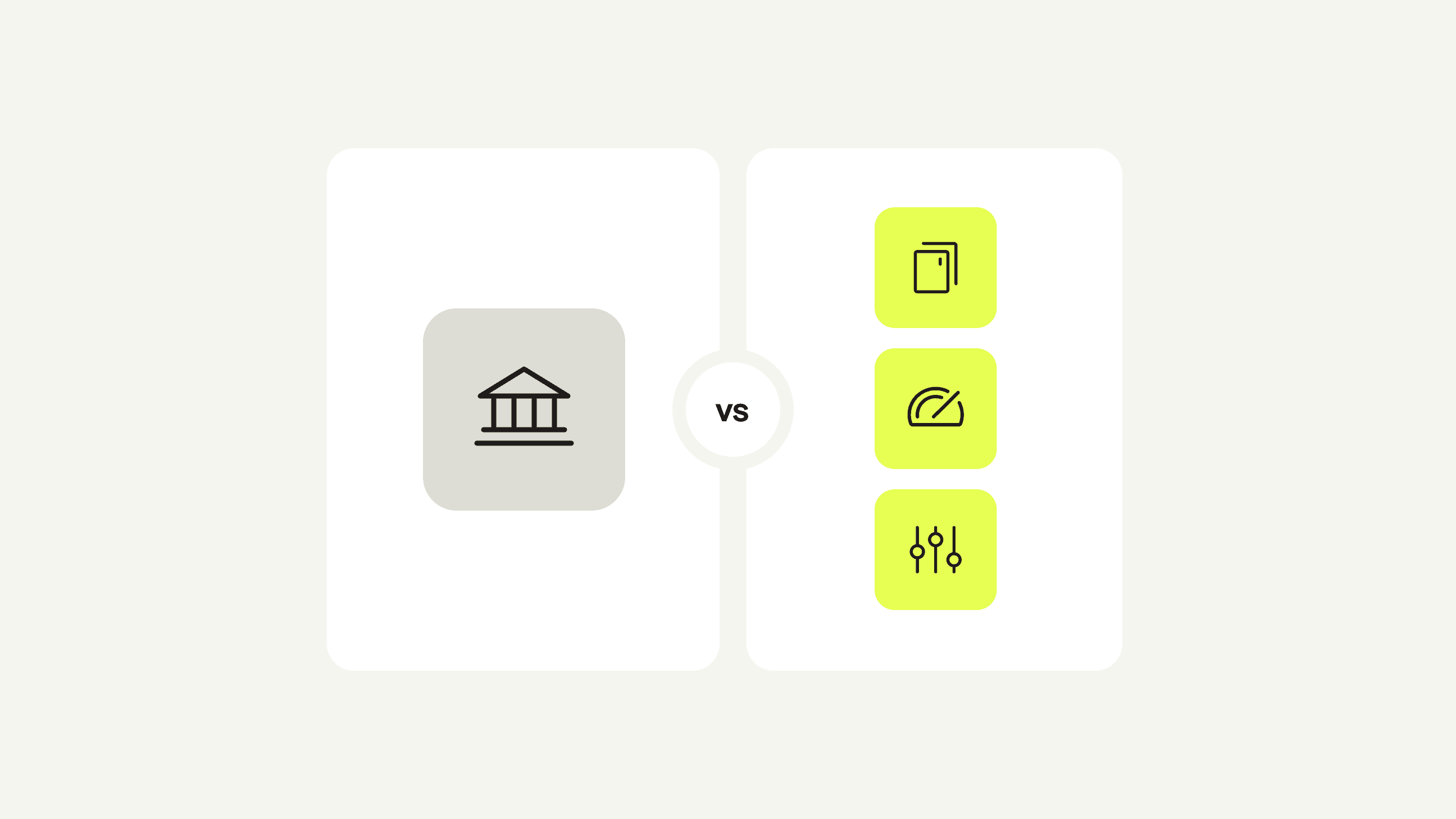
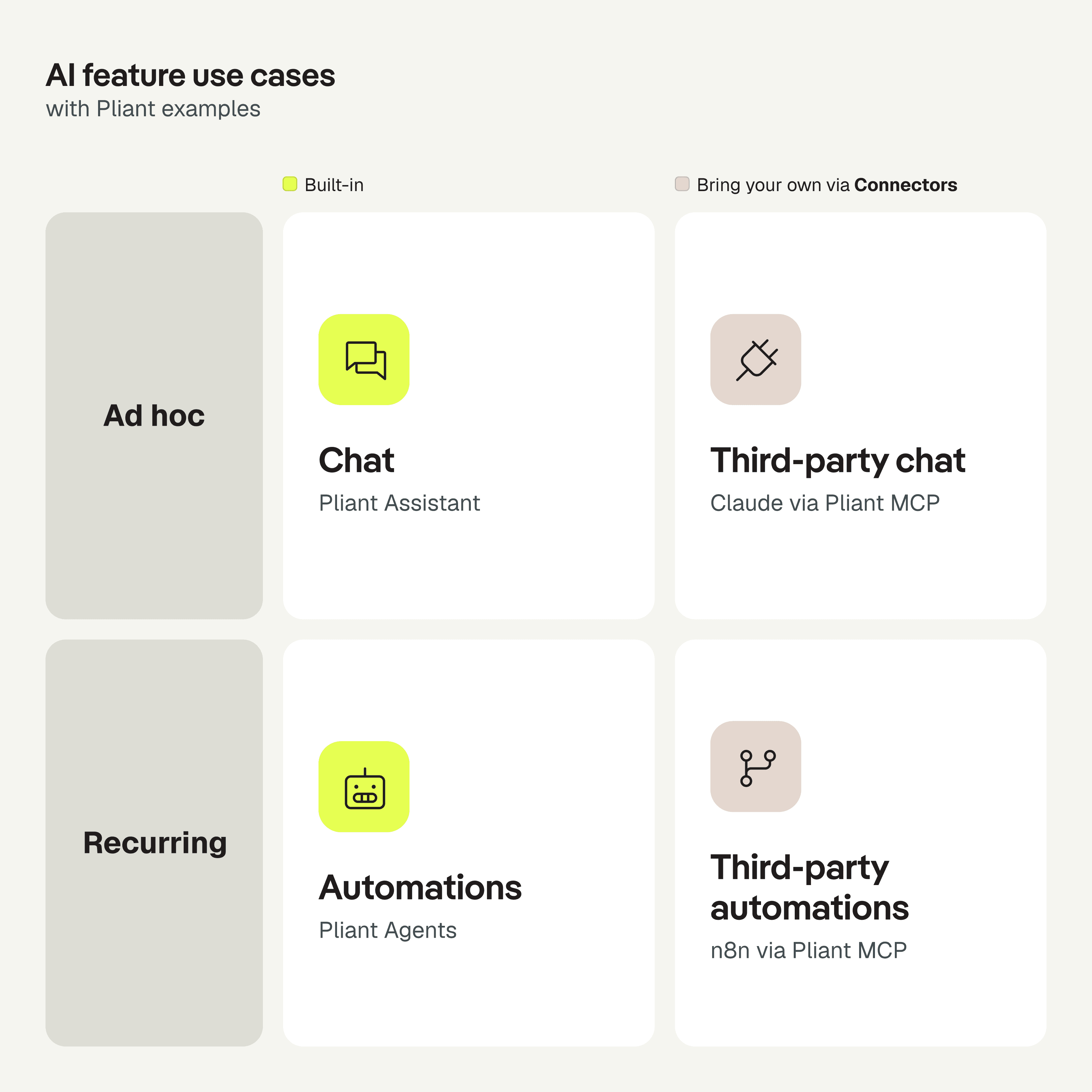
From the user's point of view the three categories become a two-by-two. Connectors resolve the built-in chat and automations into their third-party, bring-your-own counterparts. Chat is for ad hoc tasks, automations are for recurring tasks.
Built-in or bring your own?
One prerequisite before we go into decision factors. Some capabilities have to stay inside the platform because regulation says so: moving money, strong customer authentication, audit-proof bookkeeping. But we can still expose large parts of those processes and have external agents support along the way, while the platform keeps authority over the critical parts. All the rest we can expose more flexibly and let our customers use the best tool for the job at hand.
There are more factors than these, but the following four seemed most relevant to us when deciding between a built-in solution and an external one.
Factor 1: Does the task span several tools or platforms?
If it does, bring your own. A payments platform building connectors into Gmail and Notion makes little sense to us, and as a business customer you do not want every tool you use to have access to every other.
Factor 2: Does it need advanced process customization or agentic tooling?
If so, use the best tool that supports those capabilities. Pliant lets you combine natural-language rules with deterministic rules for every accounting field, which gives reliable and accurate coding, but a multi-layered decision tree with website look-ups in the middle belongs in a workflow builder like n8n.
Factor 3: Does the vendor's domain expertise matter?
If so, go for the built-in option. A payments platform like Pliant knows which receipt fields decide a VAT code and what a policy exception looks like. That expertise comes from years of running payments for companies across travel, insurance, software and banking. It lives in the product and in the base rules its agents follow, on top of which you define the rules specific to your company. An external agent gets the same data through the connector, but not that expertise.
Factor 4: Does a UI built for the task matter?
If it does, use the built-in option. Ask the Pliant Assistant for a card with a monthly and a weekly limit and three card controls, and it will soon be able to show the same issuance summary you would see in the manual flow, every attribute in its place, shaped by years of customer feedback. Claude can already show a tool's own UI components inside the chat, through MCP Apps, and exposing some of our components there is on our roadmap, but we will not replicate our app's entire UI in external tools. Luckily, for many tasks a perfectly crafted UI does not matter.
Chat or automation? Or a chat with skills?
The matrix draws the line between ad hoc and recurring tasks. The line that actually decides runs elsewhere: whether a person stays in the loop.
Factor 5: Is a human in the loop required?
If a person has to steer each run, use a chat. If it can run and decide on its own, with people reviewing the results afterwards, use an automation.
Factor 6: Is it a recurring task?
If so, use chat with skills. A skill is a stored set of instructions you reuse: it carries the repetitive part of the task, you keep the judgment call. If it is a one-off, a plain prompt does the job.
Skills are normal in external chats like Claude. The same recurring tasks exist inside a platform, and some are better handled in the built-in chat, close to the data and the screens they touch. We want you to have that choice, so the Pliant Assistant will get skills soon. For the matrix this means the chat row has two versions on each side: chat, and chat with skills.
What type of identity should an agent use?
An agent acts under an identity, and that identity decides who is responsible for what it does. There are two types:
User identity: a third-party agent connected through our MCP connector acts as the user who connected it, with that user’s permissions.
Agent identity: a Pliant Agent has an identity of its own and is steered by several users who represent the company, so no single user controls it alone.
Either way, every action runs through the same permissions and approvals as a person’s, and leaves the same audit trail. For built-in agents that governance comes with the platform. For a third-party agent the part outside Pliant has to be trusted or built from scratch. In payments, some tasks cannot be handed to a third party at all, but for most we can support the processes they automate, by giving agents a user type of their own on the platform. And the identity question only arises for automations. A chat always acts as the person who runs it.
Factor 7: Do several people run or approve it?
If so, the agent needs an identity of its own. Many processes on a B2B platform run under dual approval ("4-eye principle" for European readers) and have to keep running when someone is out of office. That "multiplayer mode" is what a B2B platform is built for, so it also points to the built-in option.
Factor 8: Are your own permissions enough?
If so, you don't need to set up a separate identity. The agent acts as you, whether it is Claude working on your behalf or, soon, a Pliant Agent you set up for yourself. If it needs more, give it an identity of its own.
Which setup fits your task?
Answered in order, the eight factors form a decision tree with eight options at the end, all of which Pliant supports today or soon.
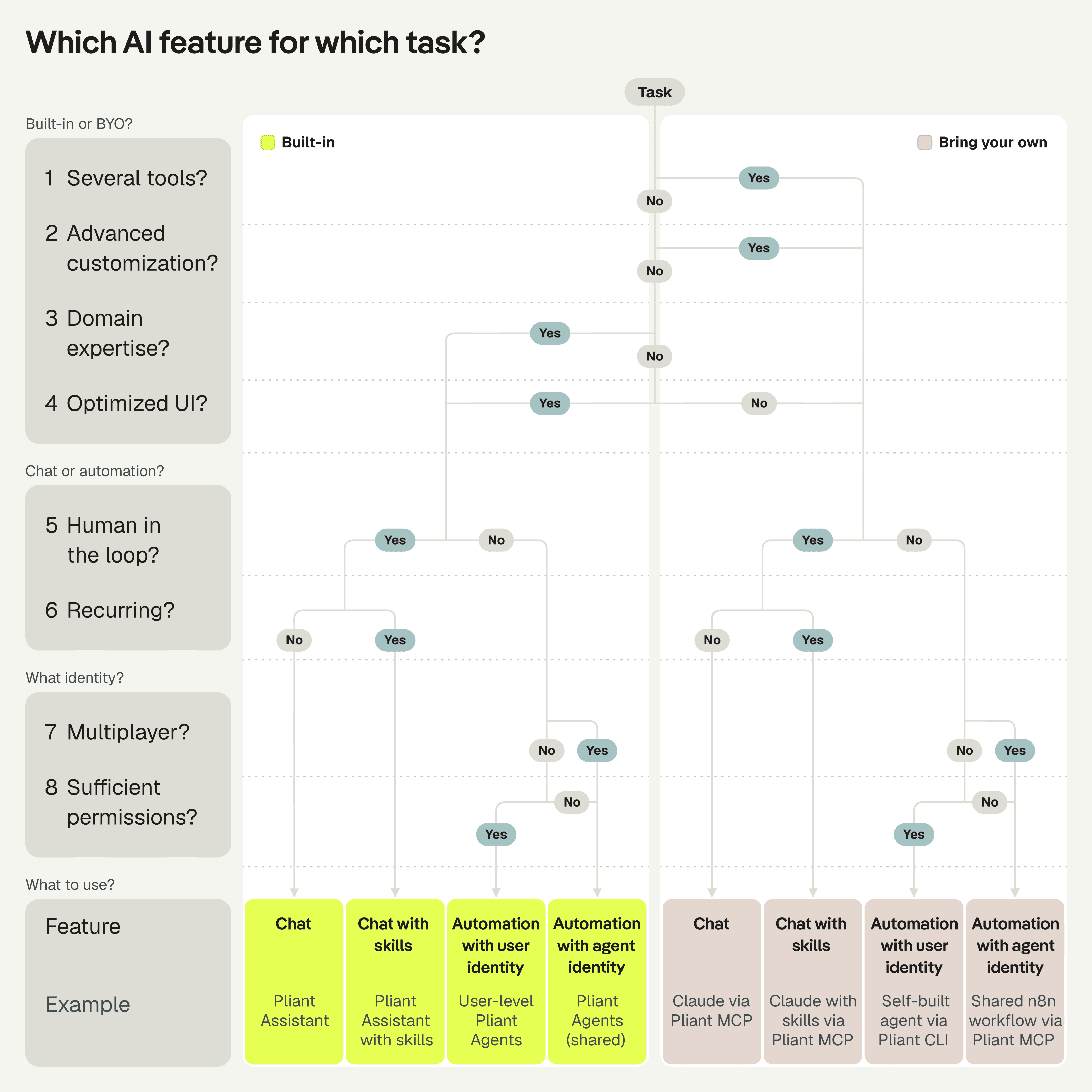
Take the travel agency from the start. Overnight, the Spend Policy Agent in Pliant flags the hotel charge that exceeds the booking. The agency's nightly n8n job pulls the day's card transactions from Pliant, picks up the flag, and runs its own checks against the bookings in their GDS, the reservation system travel agencies run on. Everything the checks cannot settle lands in one list for the finance lead in the morning, who reviews each case in Claude with a saved skill and connections into Pliant, the GDS and the accounting system, and decides what to do. One overcharge, three of the eight lanes, each handing its work to the next, and the finance lead only sees the cases that need a person's judgment.
How things might evolve
At the current pace nobody knows where this goes, so I will not pretend to. And if the singularity hits, our product strategy will have to change anyway. Until then, the factors above provide hints at where things might shift.
More platforms will open up to third-party AI products, because customers demand it, and the cycle feeds itself: the more tools open up, the better the general tools get, the more value they add, the more customers demand openness. So, we’d rather lean into that than fight it.
Custom UI will matter less as a reason for built-in chat. Third-party tools are getting better at generating a UI on the fly, like OpenAI's Intelligent UI in ChatGPT, and vendors will expose UI components next to data and actions. Platform teams get more productive too, so this one is hard to predict: whether (or when) increasingly powerful models erode the edge specialists have over generalists in their own domain.
As models get more powerful, fewer tasks will need a human in the loop, so the volume of tasks completed shifts from chat to automation. Chat will still remain the most visible category as that's where we talk to AI and where we build all those agents. So chat won’t go away.
Whatever happens, it won’t get boring.
What does this mean for our product strategy and roadmap?
So what does this mean for us at Pliant? We keep building all three, and the factors above tell us where to invest in each.
For the Assistant that means skills, and making full use of sitting inside the app with access to our UI, so it can open the summary screen before a card is issued. For the Agents it means using the expertise we have gathered over the years and building out the multiplayer side of the features. And we will not invest much in connectors into other (non-AI) apps: third-party AI products are far better equipped for that, and our connector is how they reach us.
For connectors the question is how far to open up to third-party AI tooling, and platforms differ widely here. We decided to go all the way.
"We believe third-party agents should be treated as first-class citizens on our platform."
That makes it our responsibility to open the platform fully to agents, through MCP and CLI, and to make all data and all functionality available in principle, within regulatory guardrails and with strong security measures. You decide how far your agents may go, and we provide the permission settings and approval flows that give you the right kind of control, whether a capability is used by an employee or by an agent.
This means that for many use cases our built-in chat and automations compete with external agentic tools, and I think that is good. It focuses us on improving our built-in features exactly where they have their strengths, instead of spending resources where external tools are simply better. Every category then gets better at what it does best, so it is not about picking one. Each adds its own value for its primary use cases, and the question for you is when to use which one.
Try Pliant AI today
Ask the Pliant Assistant.
Ask about your transactions, cards, and merchants in plain language and get answers sourced from your own data.
Put our Agents to work.
Let our agents handle the routine work while people confirm the decisions.
Connect your own AI tool.
Use Pliant for Agents (MCP and CLI) to bring the AI tools your team already uses to Pliant.
Apply for the agentic payments pilot.
If your use case requires giving cards to agents, apply to join the pilot program.